



The Custom CSS / Js extension in Wow Elements Pro allows you to add custom CSS and JavaScript code directly to your Elementor elements without modifying theme files. It helps you extend design and functionality by applying custom styles, animations, interactions, and scripts to specific sections, containers, or widgets. With flexible code integration options and easy configuration, you can create unique and advanced customizations tailored to your website’s needs. In this documentation, we will guide you through how to use and customize the Custom CSS / Js extension in Wow Elements Pro.
Enabling the Custom CSS / Js Extension #
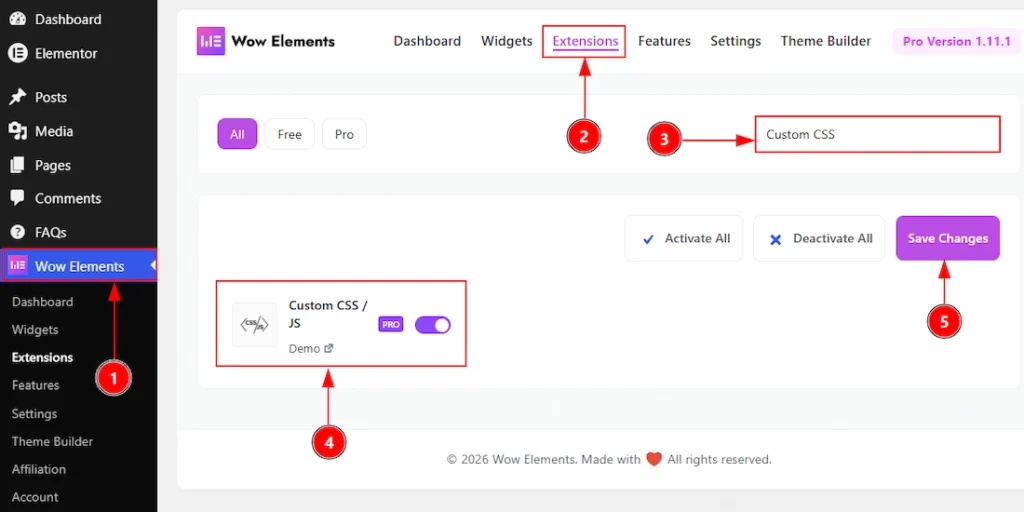
To use the Custom CSS / Js Extension from Wow Elements Pro, first, you have to enable the extension.
- Go to WordPress dashboard → Wow Elements Plugin dashboard.
- Then, Click the Extension Tab.
- Search the Custom CSS / Js Extension Name.
- Enable the Custom CSS / Js Extension.
- Hit the Save Settings Button
Where To Find The Custom CSS / Js Extension #
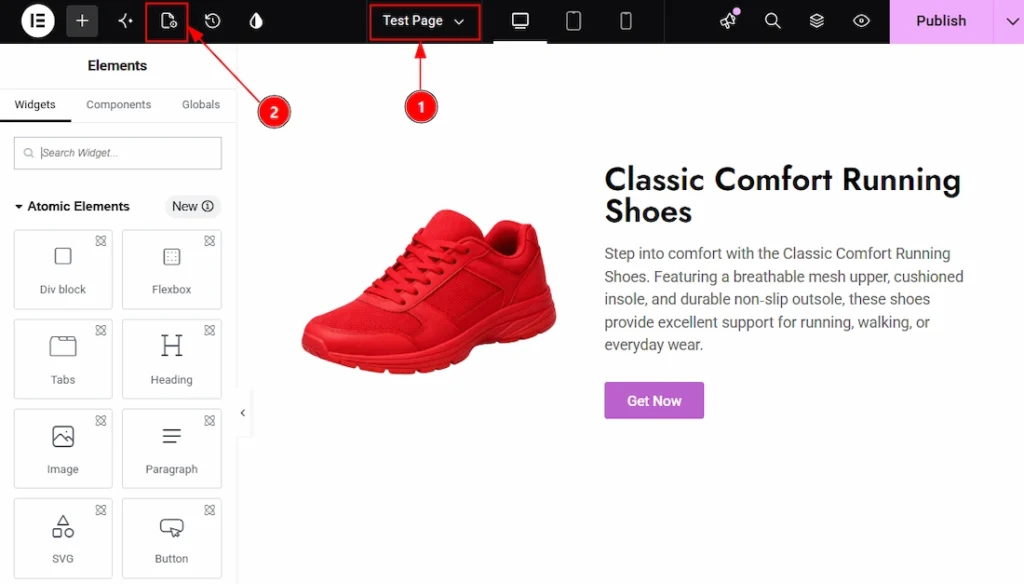
1. To find the extension, you must need to open a page with Elementor Editor.
2. After that, on the top left you will find the page settings option. Click on that option to open the page settings.
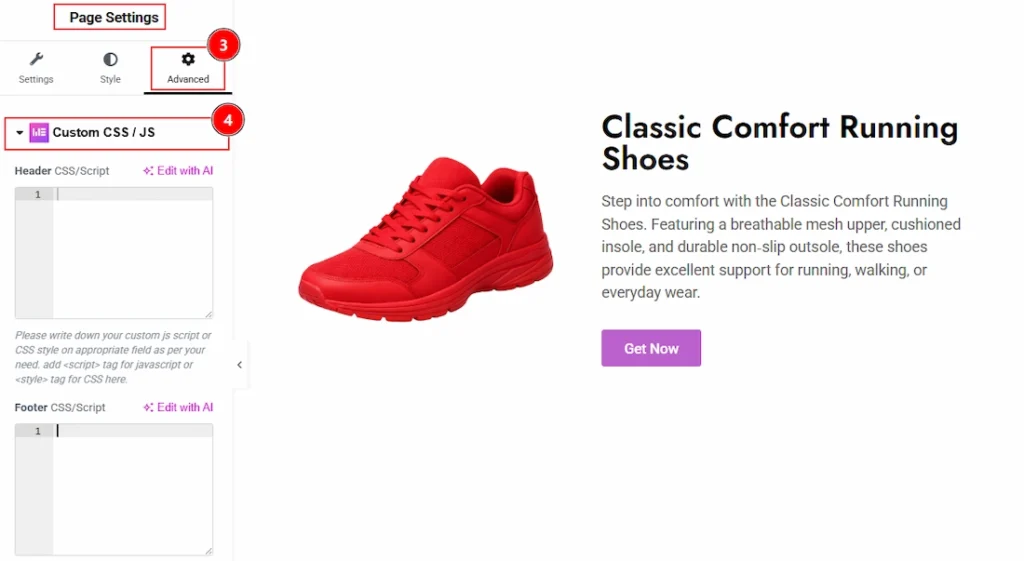
3. After the page settings open, then click on the Advanced Tab of the Page settings.
4. Now, in this field you will find the Custom CSS / Js extension section.
Configuring the Custom CSS / Js Extension #
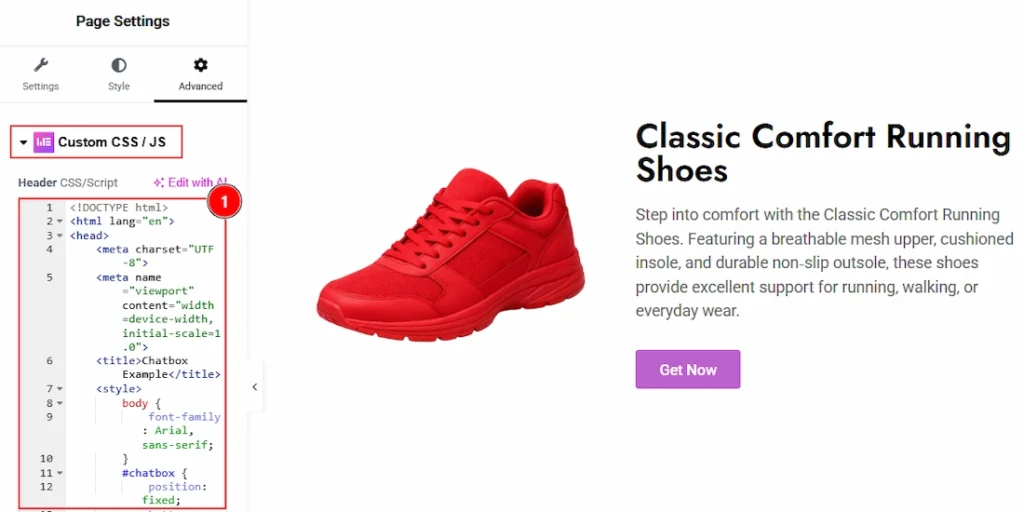
1. In this field you can add custom CSS and JavaScript code directly to your Elementor elements without modifying theme files. It helps you extend design and functionality by applying custom styles, animations, interactions, and scripts to specific sections, containers, or widgets. With flexible code integration options and easy configuration, you can create unique and advanced customizations tailored to your website’s needs. Here we have added to code to create a support logo and text to this page. Now, let’s publish the page and see what we have got –
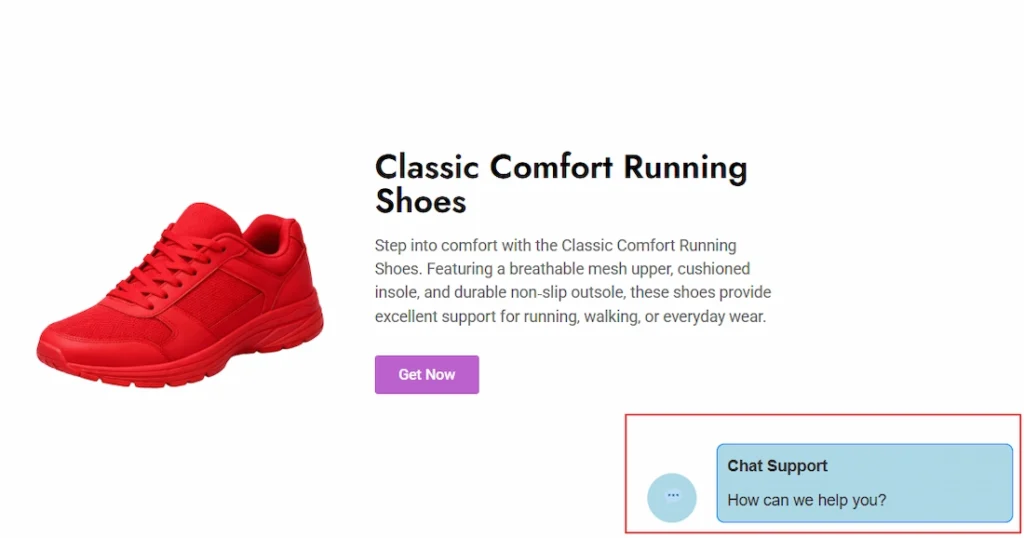
While previewing the page after published we can see that we have received a visual of chat support along with text, as per our provided code. In this way we can change and modify anything so easily.
All done, You have successfully customised the Custom CSS / Js Extension on your website.
Video Assist #
You can also watch the tutorial video about the Custom CSS / Js Extension. Please visit the demo page for examples.
Thanks for staying with us.